Case Study

TideStitch: a quilt design app that treats fabric like it actually behaves

Most quilt apps are grid painters: pretty pictures that assume perfect physics. I wanted the real thing, a tool built on a genuine geometry engine that lets you audition a design with your actual fabric at true scale, then hands you a cut list and yardage you can trust at the cutting table. One person, iPhone, iPad, and Mac, twelve releases and counting, math through marketing.

On the App Store forsince July 7, 2026
Downloads0,000
The Problem

The scary part of quilting is the part you can’t undo

Quilting’s scariest moment is committing to a design you can only half-see in your head, and then cutting fabric you can’t un-cut. The existing tools work around that fear rather than fixing it. EQ8 is the industry standard, and it is decades-old Windows-DNA desktop software: it drafts fine, but it assumes perfect physics, which fabric and thread and your printer very much do not have.

The native-iOS field is nearly empty, and by mid-2026 the lightweight entrants that had appeared drew the line in a telling place: recolor and rotate preset grid pieces, and nothing past the picture (no per-fabric yardage, no cut list, no printable pattern). The lane was open, but the reason nobody had taken it is that doing it right is genuinely hard. You either build a toy grid painter, or you build the real thing.

The Standard I Held It To

Auditioning is the easy 20%. Plan-to-cut is the hard 80%.

Anyone can help you color in a pinwheel. The value a quilter actually needs shows up later: how much of each fabric do I buy, how do I cut it, and will this block even sew flat. So I set the bar at the whole pipeline, from photographing a fabric to a printable pattern, and refused to stop at the pretty picture the way the shallow apps do.

The rule the whole thing is built around: never let a beautiful on-screen design turn into wasted fabric or an un-sewable block. Everything under the hood exists to keep that promise honest.

What It Does

From a photo of fabric to a pattern you can cut

The top half of the story, for the quilters. Here is what you actually get, in the order you would use it. It is a longer list than it was at launch: the app has shipped a dozen updates since July, and most of what is below (Studio, bargello, the quilting preview, the stash check) did not exist on day one.

A quilt design with real photographed fabric tiled at true scale
01

Photograph your fabric, and see it at true scale

This is the thing you can feel in the first ten seconds. You shoot a photo of the actual fabric from your stash, tell the app how wide the print really is, and it tiles that real print inside the block at true physical scale. A 6" motif reads like 6" inside a 12" block, not a smeared texture and not a flat average color. Stripes and directional prints get Make Seamless, which lines the repeat up so it tiles without a jog, and every piece samples its own window of the swatch so fifty cells of one print stop looking like fifty stamps of the same square inch.

A whole-quilt layout set on point, with sashing, cornerstones, and painted borders
02

Sixty-one blocks, and a whole quilt around them

The library grew from fifteen blocks at launch to sixty-one: Pinwheel, Sawtooth Star, Log Cabin, Bear Paw, Storm at Sea, LeMoyne Star, and on. Lay a quilt out from one block or mix them, set it straight, on point, or brick (the setting and corner triangles are worked out from the block itself, not left as blank filler), color each block on its own for gradients and secondary patterns, and paint every border side, sashing strip, and cornerstone its own fabric. Then try the whole thing in a second set of fabrics as a colorway without losing the first.

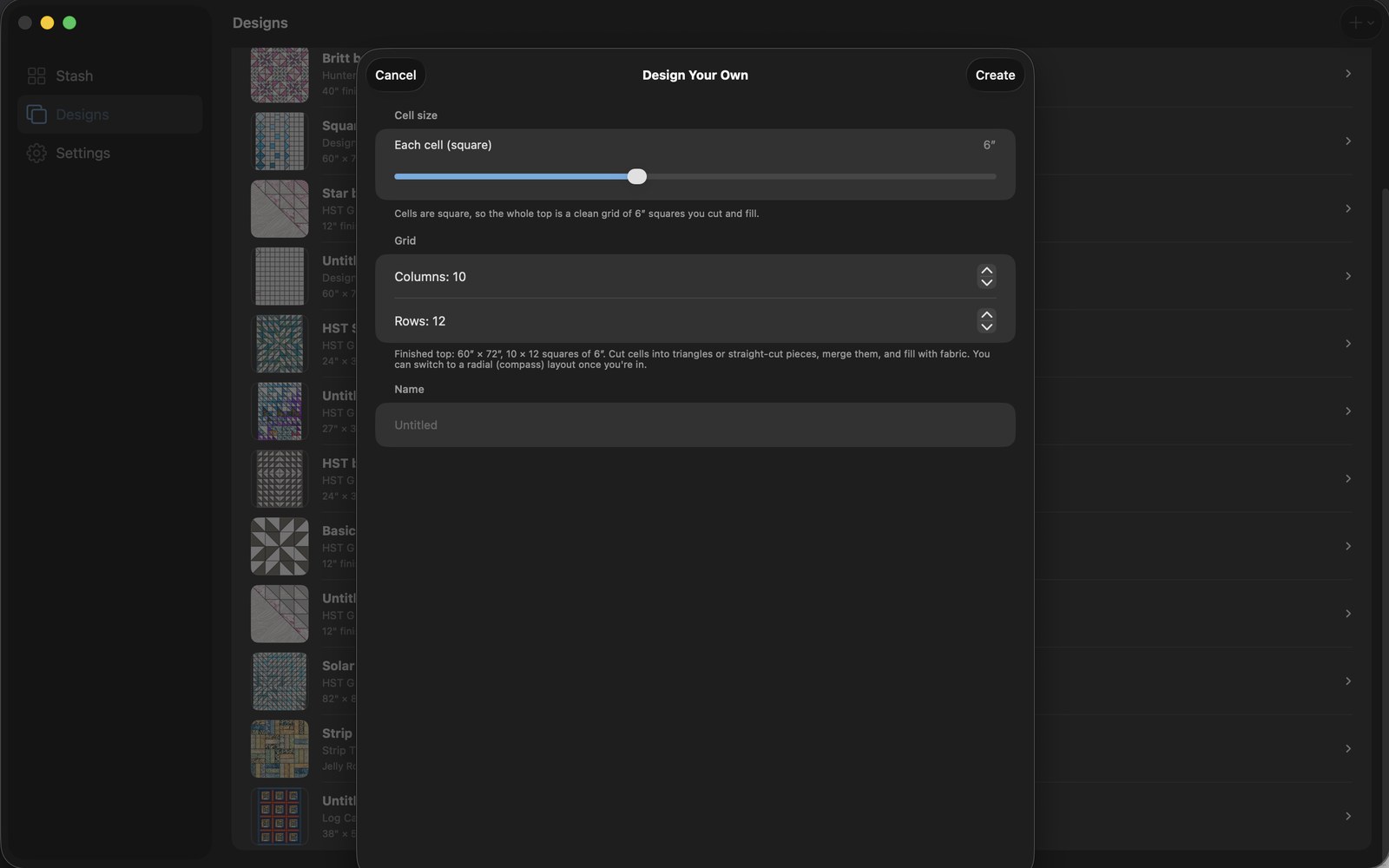
The Design Your Own setup: define a grid, then split, merge, and go radial
03

Reshape the geometry, don’t just recolor it

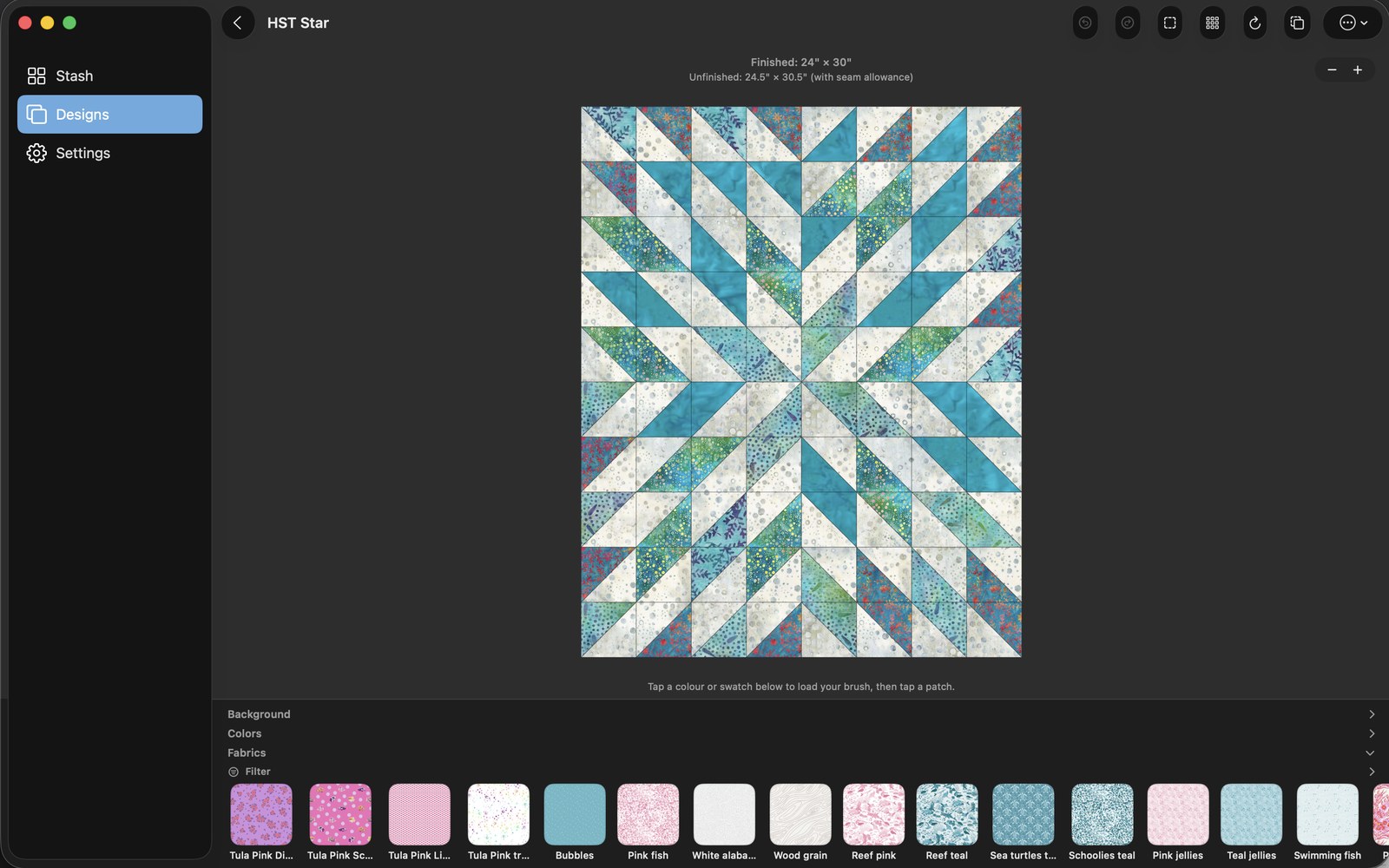
This is where a real design tool separates from a coloring book. Start from a grid you define (or from the finished quilt size you want, border included), split cells any way you like, flip half-square triangles in any direction, merge cells into larger shapes, drop library blocks of any size onto the board as a sampler and let it fit the spacers, or switch the whole layout to a radial compass. That is real geometric editing, not picking from a wall of fixed presets, which is exactly the line the shallow apps stop at.

Studio: a block being drawn, every piece wearing its cut size
04

Studio: draw a block nobody has drawn yet

Studio is the block designer, a separate one-time unlock for iPad and Mac. Split cells, slice strips, cut at any angle, merge pieces so they cut as one, and mirror or kaleidoscope a quarter of the block and let the rest follow. Every piece is measured as you draw, so you see true cut sizes before you save, and pieces too thin to sew get circled in magenta until you merge them. Generate a Wonky Log Cabin, LeMoyne Star, or Lone Star up to eight diamonds a point from a recipe and re-roll until you like it. Mark a block as paper pieced and the foundation prints mirror-reversed and numbered, with the sew order on screen. Your blocks sit in the picker beside the built-ins, and you can send one to another quilter.

A bargello wave built from a photographed jelly roll
05

Bargello, with the tube math done for you

Photograph a jelly roll, arrange the strips into a color ramp, pick a Single Diagonal, Classic, or Mirrored Wave, then tap any column to widen, narrow, or roll it. TideStitch does the tube math underneath, prints the strip-set order, and lists every column cut, which is the part of bargello that sends people back to graph paper.

A generated printable pattern with cut list and yardage
06

Walk away with a pattern you can actually cut from

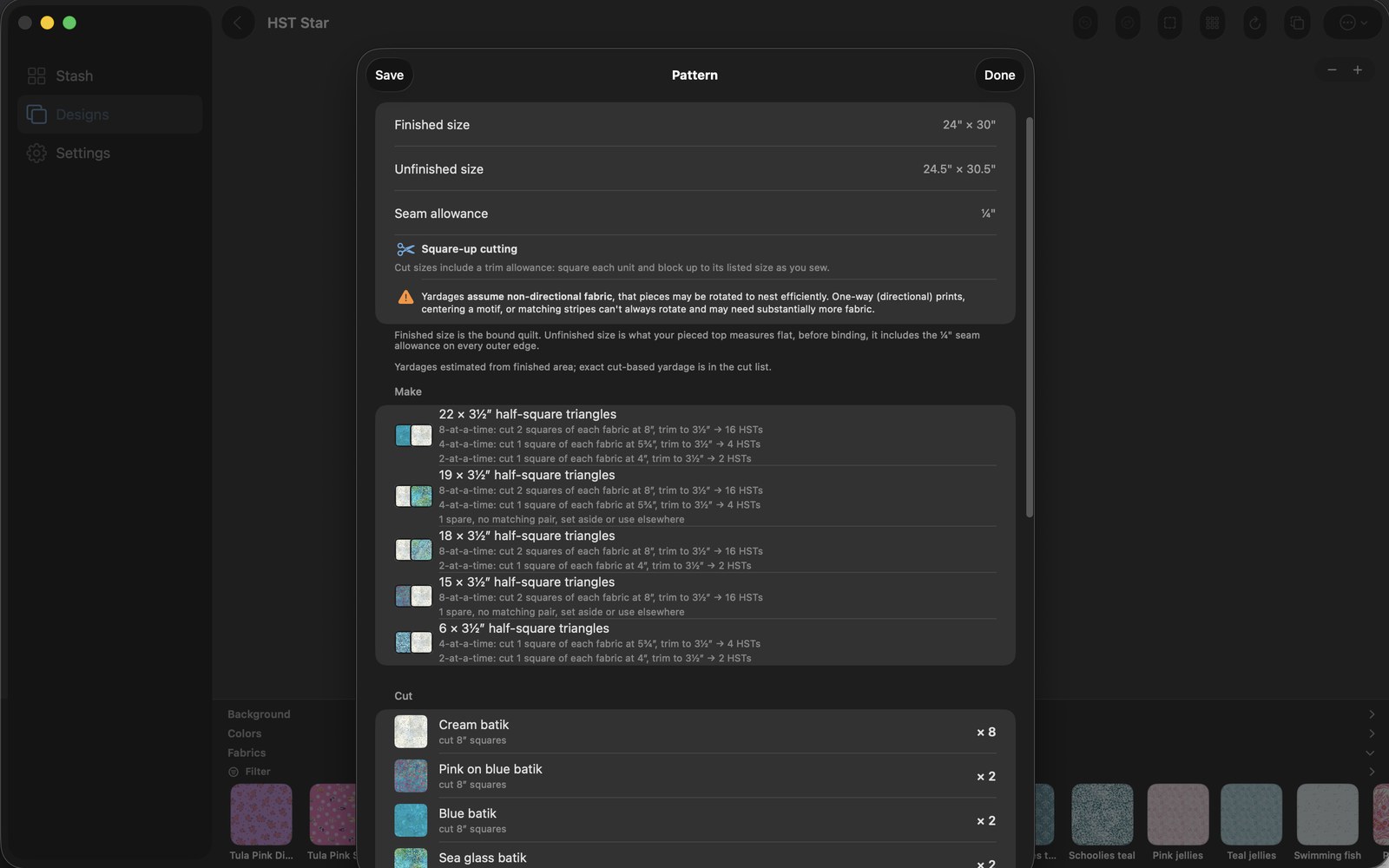
Auditioning a pretty layout is the easy part. The hard part is turning it into fabric you can cut without coming up short, and that is where TideStitch keeps going when other tools quit. Make Pattern hands you a PDF: a rotary cut list, per-fabric yardage (off the bolt, in fat quarters, or in precuts), and numbered sewing steps, with your seam allowance configurable so the numbers match your machine. Record how much of each fabric you own and every design tells you whether your stash covers the quilt top, before you cut.

A finished top previewed with wavy quilting, loft and all
07

See it quilted before you sew a stitch

Preview the quilting on the design, loft and all: in the ditch, straight lines, wavy, echo, meander, draw your own, or import a longarm design file. Or photograph a finished top and loft a pantograph over the photo to decide how to quilt it. The preview saves with the design so you can come back and argue with yourself later.

Jelly Roll mode for strip-pieced quilts
08

Jelly Roll mode, because strip quilts are their own thing

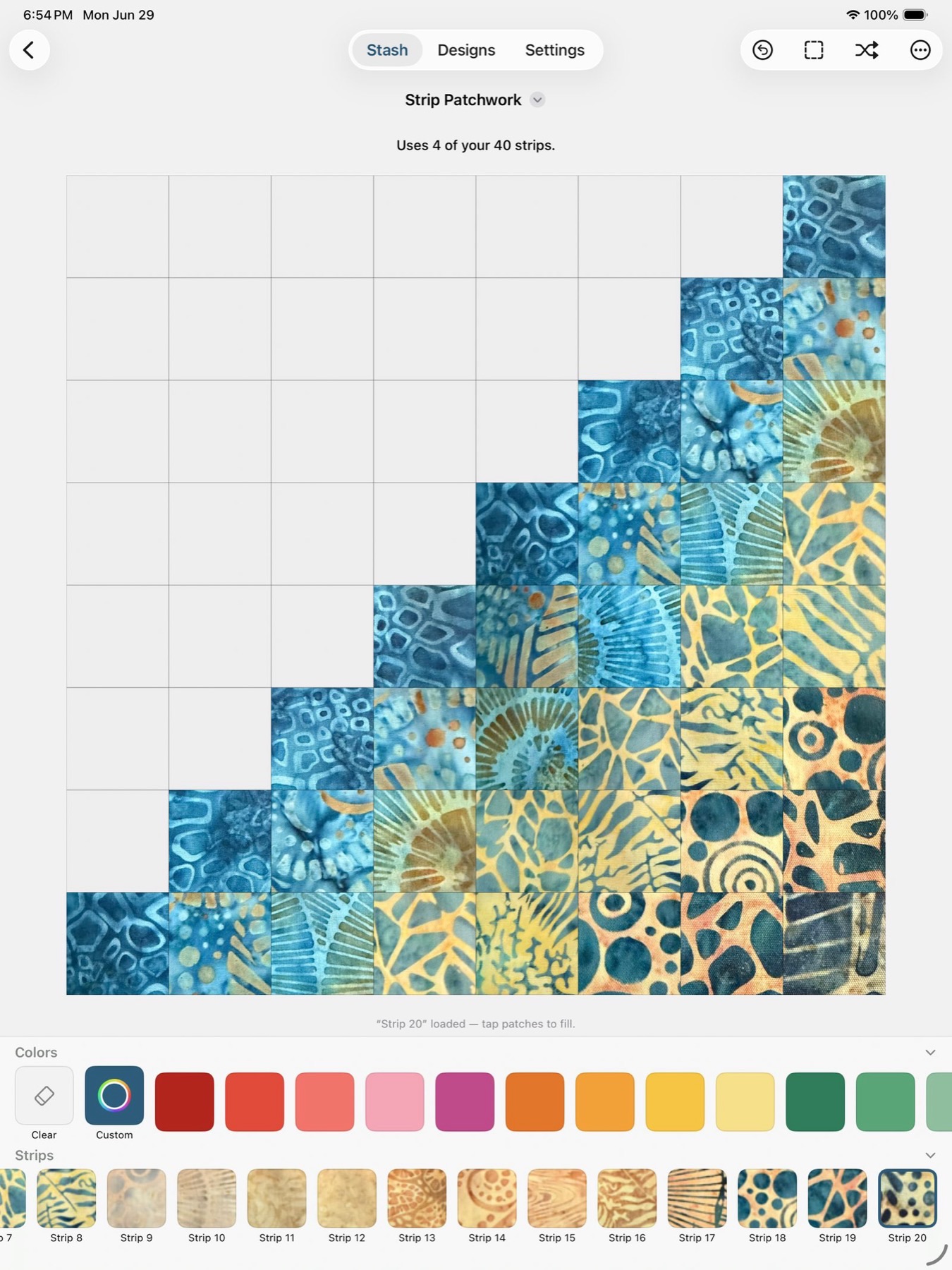
Strip-pieced quilts built from a jelly roll (those 2.5" precut strips) plan differently from block quilts, so they get their own mode instead of being wedged into the block canvas: Jelly Roll Race, Rail Fence, Strip Twist, and Strip Patchwork, each telling you how many of your strips it needs. Same engine underneath, different front door for a different kind of quilt.

The fabric stash library
09

Your whole fabric stash, in your pocket

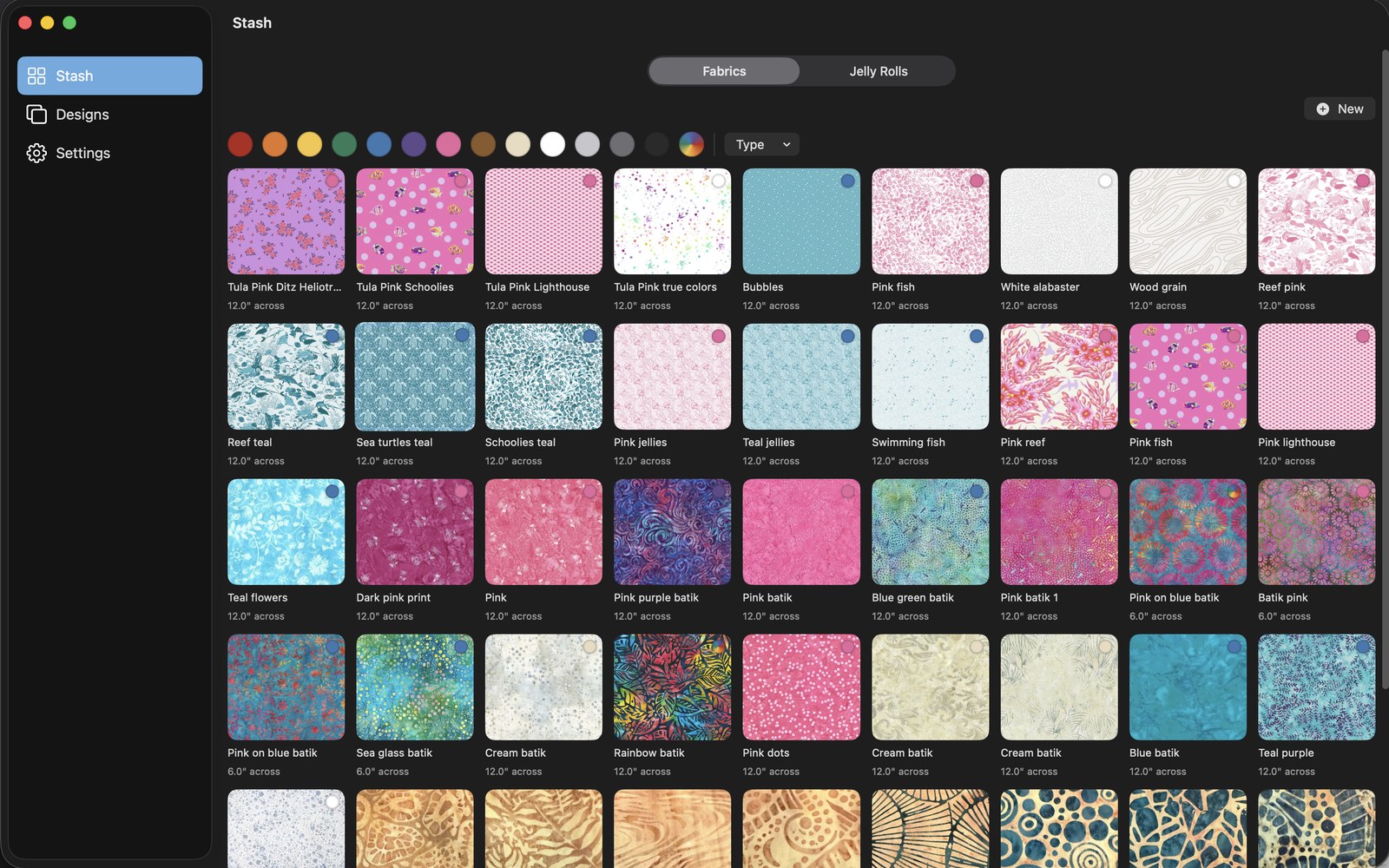
Every fabric you photograph lands in a stash you carry with you, tagged and filterable by color, material, print style, designer, or line, so the fabric-store version of you and the sitting-down-to-design version of you are finally looking at the same thing. It syncs over iCloud, privately, with no account to create: your phone is the camera, your iPad or Mac is the worktable. Share a design with another quilter as one file, back the whole library up to one file, and restore it anywhere.

Traction

Shipped, paid for, and finding its people

TideStitch went live on the App Store on July 7, 2026, on iPhone, iPad, and Mac, and it was free for its first two months: everyone who downloaded it before the paywall arrived on September 7 kept the base unlock for good. The download counter at the top of this page is live (synced nightly from App Store Connect), and every one of those came from a few Reddit posts and a TikTok account that was eight weeks old at the time of writing. No paid acquisition, no press.

The numbers I actually care about are Apple’s own benchmarks, because they compare the app against its peers instead of against my hopes. For the week of September 14 to 20, 2026, measured against freemium Lifestyle apps, TideStitch converted App Store browsers into downloads at 8.69%, above the 75th percentile (the top-quartile line sits near 3.8%, the median near 1.6%). Proceeds per paying user came in at $23.98, also above the 75th percentile. Crash rate sat between the 50th and 75th. And in the first month after the paywall went up, strangers bought the unlock 34 times.

One more thing the dashboard taught me: roughly three quarters of the people who land on the product page got there by searching the App Store, not by clicking a link I posted. The listing is the funnel. That is the part of the job that looks like marketing and is actually product design.

Under the Hood

The part for the technical readers

Fair warning: this half is for the people who hire engineers. If you came here as a quilter, everything you need is above this line (TL;DR: it audits your real fabric at true scale and gives you a cut list you can trust). Below is why that is harder than it looks.

SwiftUISwiftDataCloudKitStoreKit 2iPhoneiPadMac CatalystSwift Package (QuiltGeometry)Swift Package (BlockStudioKit)XCTestSkip (Android beta)

The geometry engine is a dependency-free Swift package

QuiltGeometry imports no UIKit, no SwiftUI, no SwiftData, no CloudKit: value types and math, nothing else. That boundary is load-bearing, not tidiness. It makes the math exhaustively testable (100+ compass configurations run as XCTest cases in milliseconds), reusable by every consumer that wants the same math (renderer, storage layer, pattern generator, yardage roll-up), and a real compilation boundary so a UI tweak does not recompile the geometry. Every patch lives in normalized 0 to 1 space, and inches only get applied at the render, print, or cut boundary, which is what keeps resize and calibration honest.

Model the physics quilters actually fight

A clean digital model meets messy fabric, thread, printer, and dye, and the tool’s job is to warn and pad exactly where that bites. A CalibrationProfile subsystem runs one reusable loop (make a test artifact, measure what reality gave you, store a per-instance fudge factor, compensate forever) and gets instantiated for your printer, your sewing machine, fabric shrinkage, and batting shrinkage, because all four lie about their dimensions. A turn-of-cloth estimator predicts how much a block finishes short based on seam count and fabric thickness. And the cut list is never secretly pre-shrunk: sewing compensation shows up separately, because conflating the two is exactly how you cut a pile of fabric wrong.

The assembly graph is the load-bearing idea

A directed (sometimes cyclic) graph of which patches join to which and in what order, with every seam flagged full, partial, Y-seam, or set-in. Plenty of real blocks (LeMoyne stars, tumbling blocks, partial-seam pinwheels) are physically unpieceable without it. From that one structure comes seam-kind detection, a pressing-and-nesting planner that picks a press direction for every seam so blocks come out flat and matched, a feasibility check that flags blocks with too many converging seams to actually sew, and a human-readable sew order that bails honestly to an advanced-construction path rather than printing a confident order that would not physically sew.

Migration-safe before launch (the unglamorous one)

Because the app was heading for the App Store, the saved-file format had to be made engine-compatible and versioned before launch. The moment it ships, every schema change stops being a private refactor and becomes a public-user data migration across SwiftData and CloudKit. The pre-ship window is the last time those decisions are free, so I spent them then instead of paying for them later with somebody’s lost projects.

Twelve releases in three months without breaking anyone’s quilt

Shipping 1.0 was the start, not the finish. Between July and October the app went from 1.0 to 1.12 across close to a thousand merged pull requests, and the thing that made that pace survivable is discipline that nobody sees: over six thousand tests run on every change, most of them against the geometry, because a cut list that is an eighth of an inch off is a real pile of wasted fabric (that one shipped once, in a composite block, and it is why the tests exist). Big features ship dark behind a switch and get turned on deliberately, which is how Studio and the on-point setting both landed. And the release notes are written from the diffs against the build customers actually have, never from commit subjects, with a plain paragraph whenever a fix changes a number a quilter already cut from. Twice that paragraph has kept a correction from being reported as a bug.

Debugging Story

The importer that quietly canceled itself

Library Import was dead in Debug builds. Not throwing an error, not failing loudly, just doing nothing when you tapped it. Everything looked correct in the code, which is the worst kind of bug: the sort where the machine is technically obeying you and still refusing to work.

The cause was a SwiftUI footgun. Two `.fileImporter` modifiers attached to the same view silently cancel each other out, and my `#if DEBUG` block-pack importer was sitting on the Settings form right on top of the real library importer. Neither errored. They just quietly no-oped each other into uselessness, and only in Debug, so it hid until I went looking.

The fix was small once the cause was clear: move the block importer onto its own button so no view carries two file importers at once, then verify the merge live in the Simulator. The lesson I keep is the same one every silent bug teaches: when something does nothing and throws nothing, stop reading the code that ran and start looking for the second thing competing with it.