See your quilt
before you sew it
Photograph the fabric you already own, drop it into a block, and watch it tile at true scale, so a 6″ print reads like 6″. When the design is finally right, TideStitch hands you the cut list, the yardage, and the order to sew it in.
Free until mid-September: download now and everything it does today stays free for you, for life. After that it’s still free to try (keep a few designs, preview any pattern), and $29.99 one time unlocks the rest. No subscription, not ever.
“It is easy to create your own layouts and add photos of your fabric to use in the blocks. Today I made 6 different color versions of a quilt pattern I’m working on using the Design Your Own feature.”
Cam3mommy, App Store review
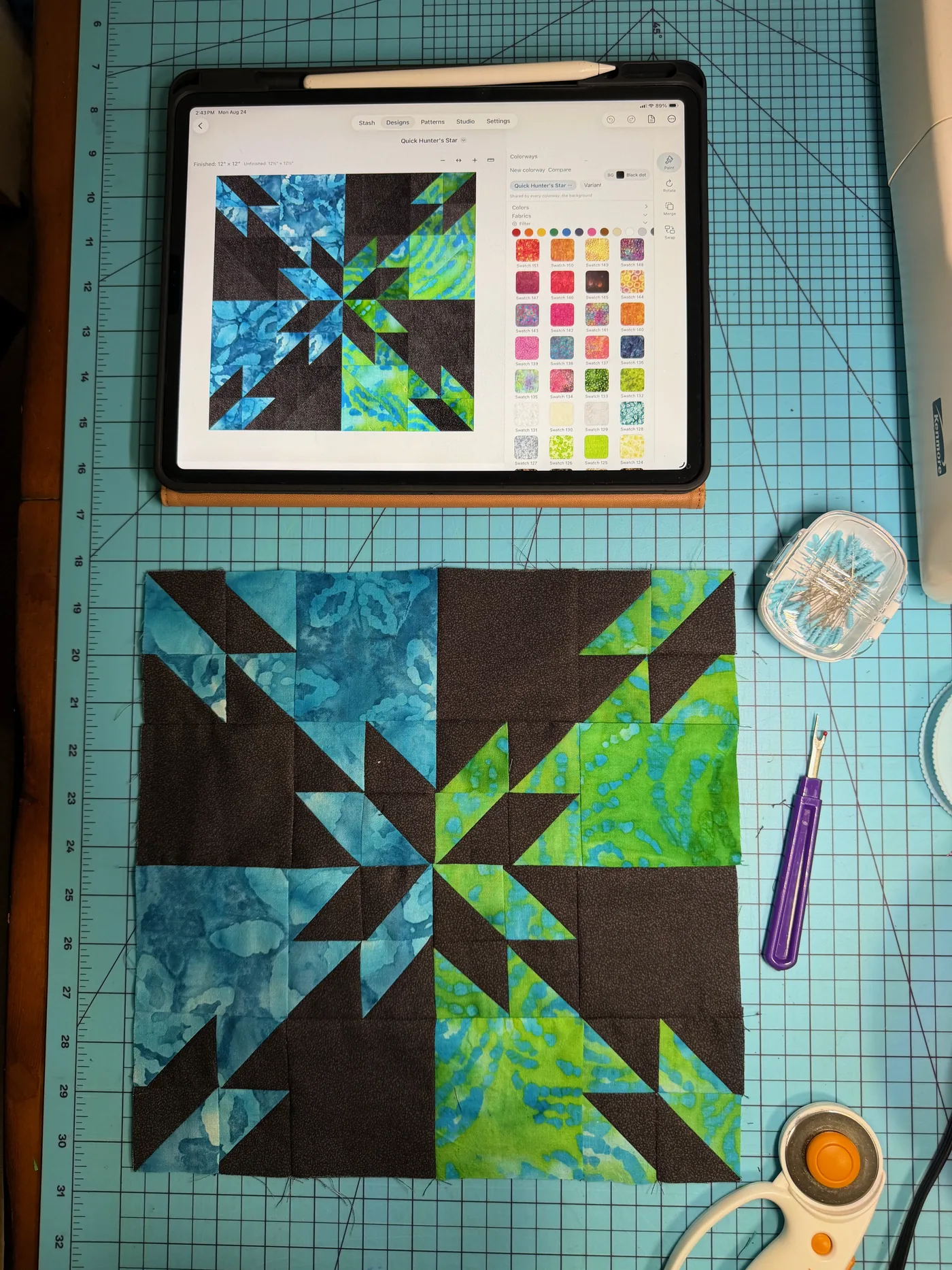
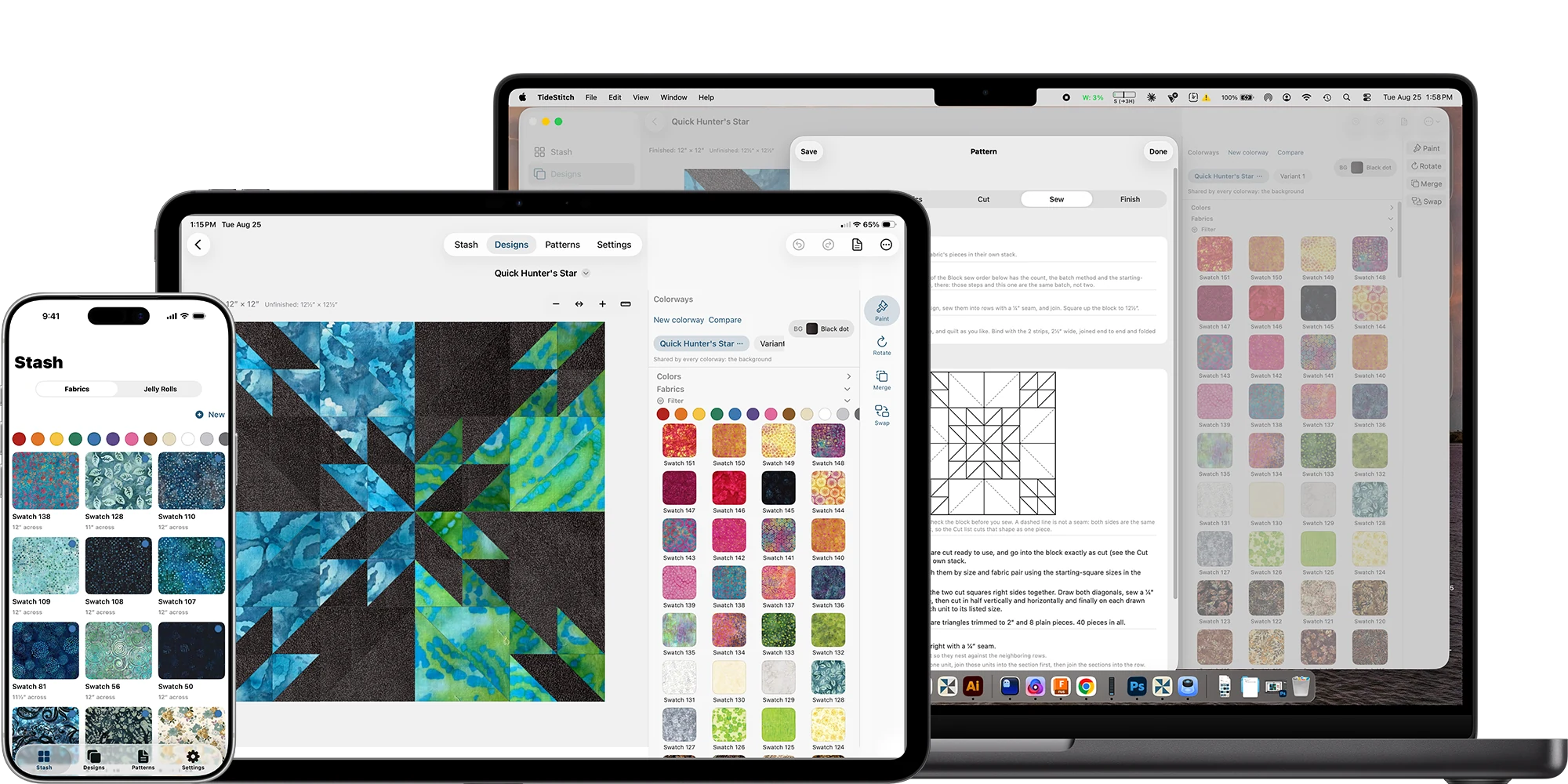
Your iPhone is the camera. Your iPad is the cutting mat. Your Mac is the design wall.
Designing wants room, so iPad is where TideStitch is at its best. Everything syncs across all three over iCloud, so the swatch you photograph in the shop is already on the iPad by the time you sit down.
The scariest part is committing
Quilting’s scariest moment is committing to a design you can only half-see in your head. You buy the fabric, you cut into it, and then you find out. Keep reading to see how I know.
TideStitch is where you find out first. Lay the quilt out block by block, in the fabric you actually own, and look at the whole thing before a rotary cutter touches anything. No graph paper, no colored pencils, and no wrestling a cut list out of a spreadsheet.
It started with a baby quilt

Back in April, my stepdaughter Lindsey told us she had a baby on the way, and my first thought (right after the happy-crying) was: I have to make this baby a quilt. Like, immediately. That panic isn’t exactly rational; quilting isn’t a tradition on either side of this baby’s family. But in the family I grew up in, a baby on the way meant somebody was making a quilt, full stop, and that somehow wires itself into you. This would only be my second quilt ever (I’d learned the basics back in 2000, twenty-six years between number one and number two), and I was making it no matter what.
I found a pattern I loved, Amy Smart’s Baby Sugarhouse Star (her directions are genuinely a gift; thank you, Amy, for teaching me the importance of nesting seams), and then I froze. Not on the sewing, on the shopping. I’d found a layer cake of pinks and teals online, all little fish and sea turtles (we’re boaters who spend most of our free time fishing and I wanted my own little stamp on it), and I was stuck on two things I couldn’t answer from a product photo: would those fabrics actually look right in that star, and would one layer cake even be enough to sew the whole thing? That is a lot of money to guess at.
How can I see if these fabrics REALLY work?
So on the drive out to the boat one day while my husband was driving, I built myself a tiny tool: drop the swatches into the layout, see the whole quilt, and check whether I actually had enough fabric to finish it, all before I ordered a thing. It gave me the nerve to commit. I ordered, I started sewing, and I kept tweaking the design as I went (that first mockup was where I started, not where it ended up).
Then it hit me: every quilter I know has stood frozen at that exact moment. So I turned my little baby-quilt helper into the real thing, the app I wish I’d had before I ever picked up the rotary cutter. That baby quilt is finished now (that’s it hanging on the fence), and maybe I just started a tradition for this little branch of the family. TideStitch is what got me there, and now it’s yours too.
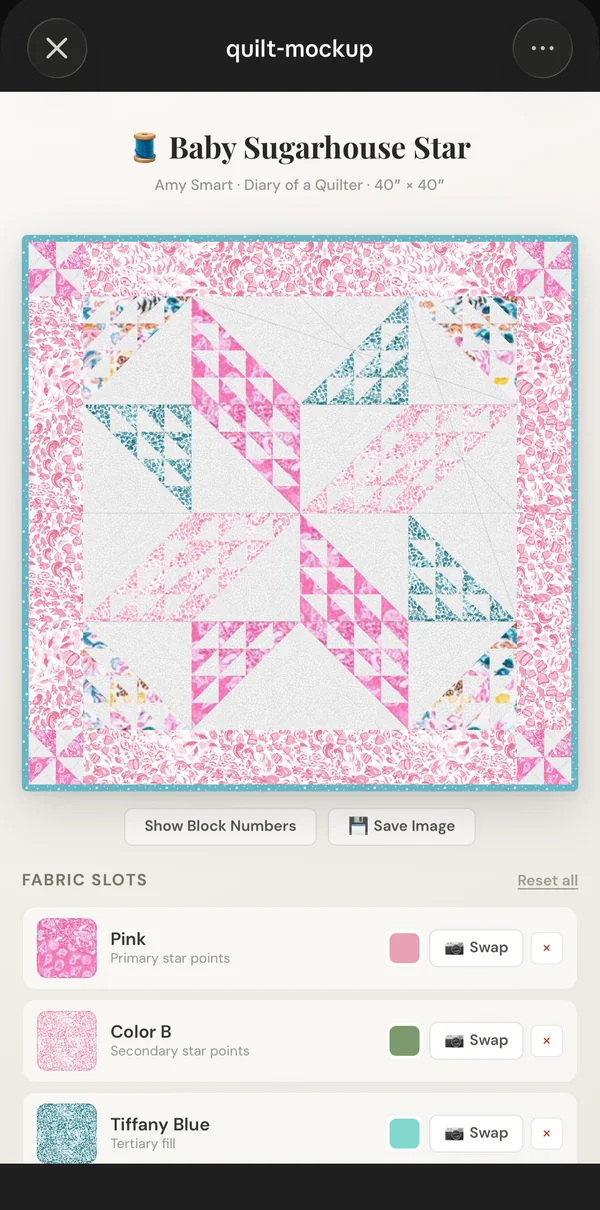 The first design I mocked up
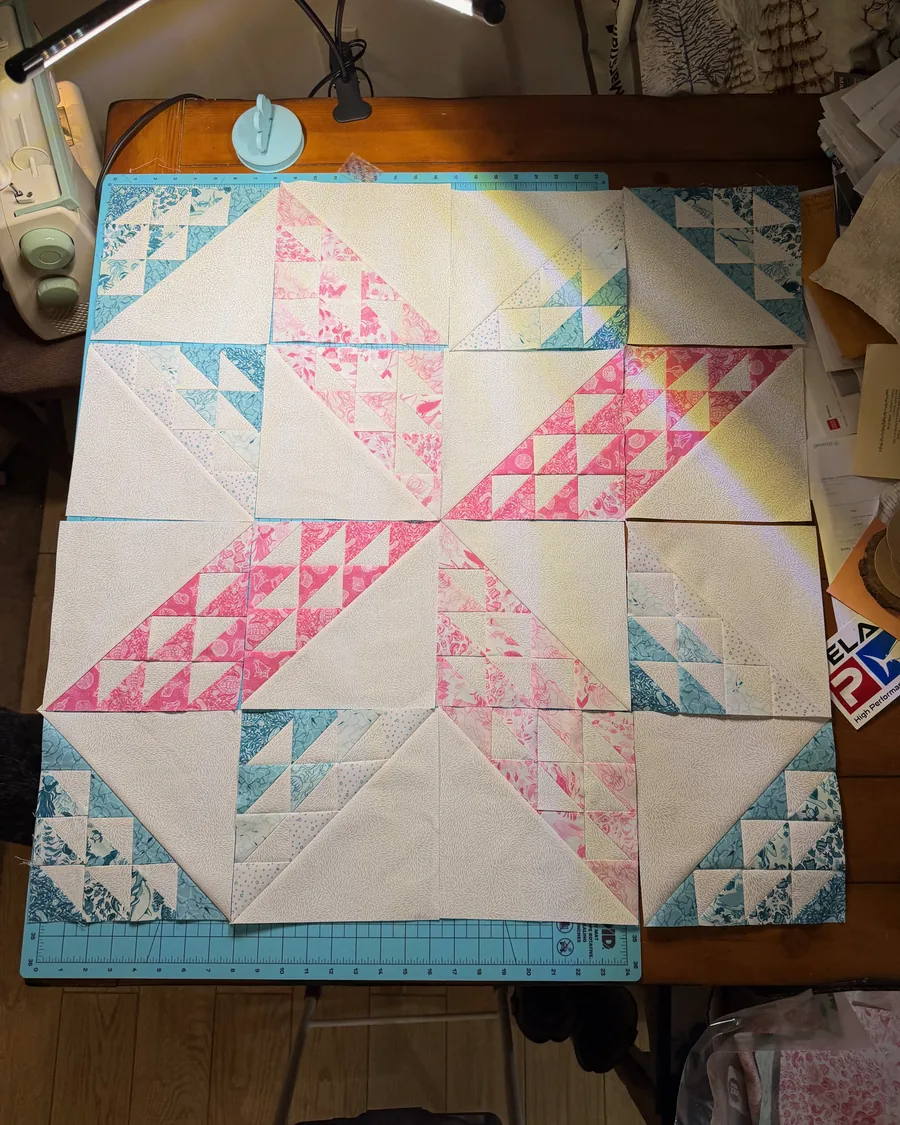 Piecing it for real
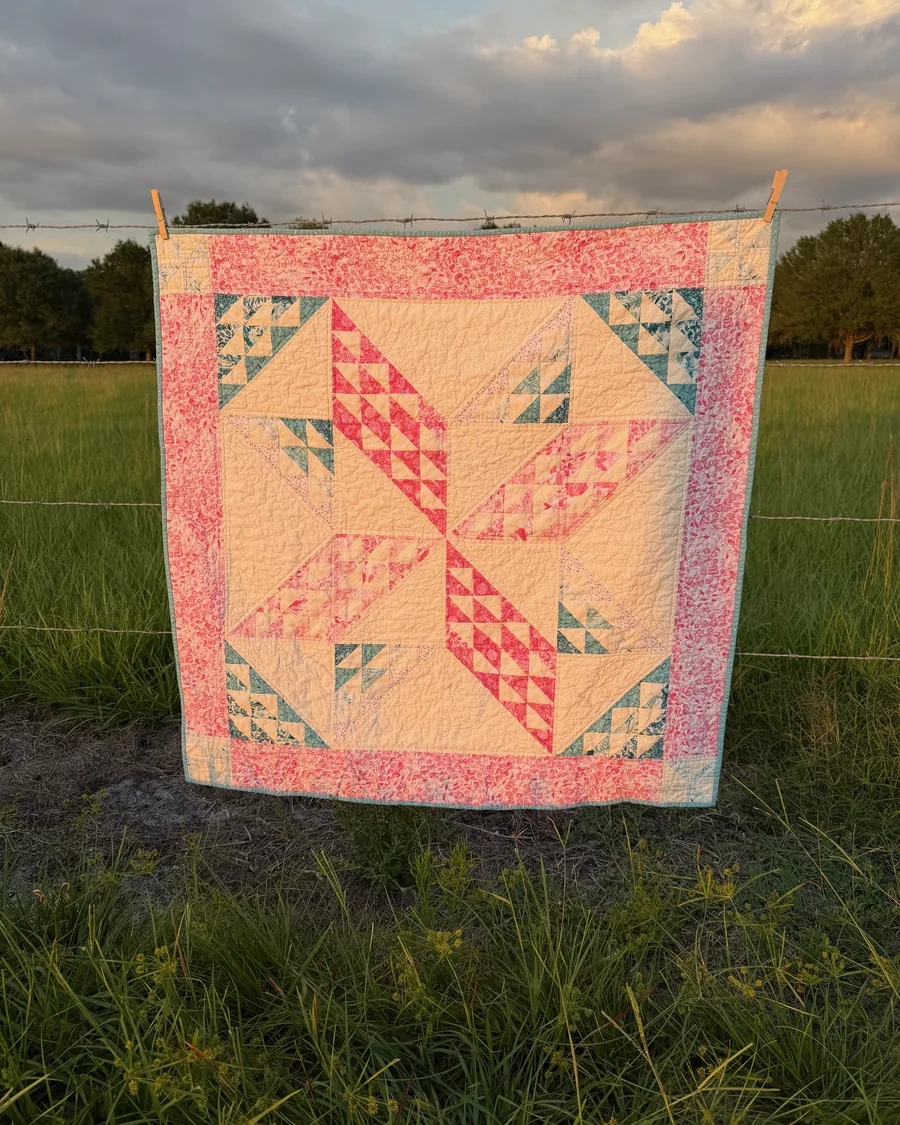 Finished, on the fence
Photograph it once, use it forever
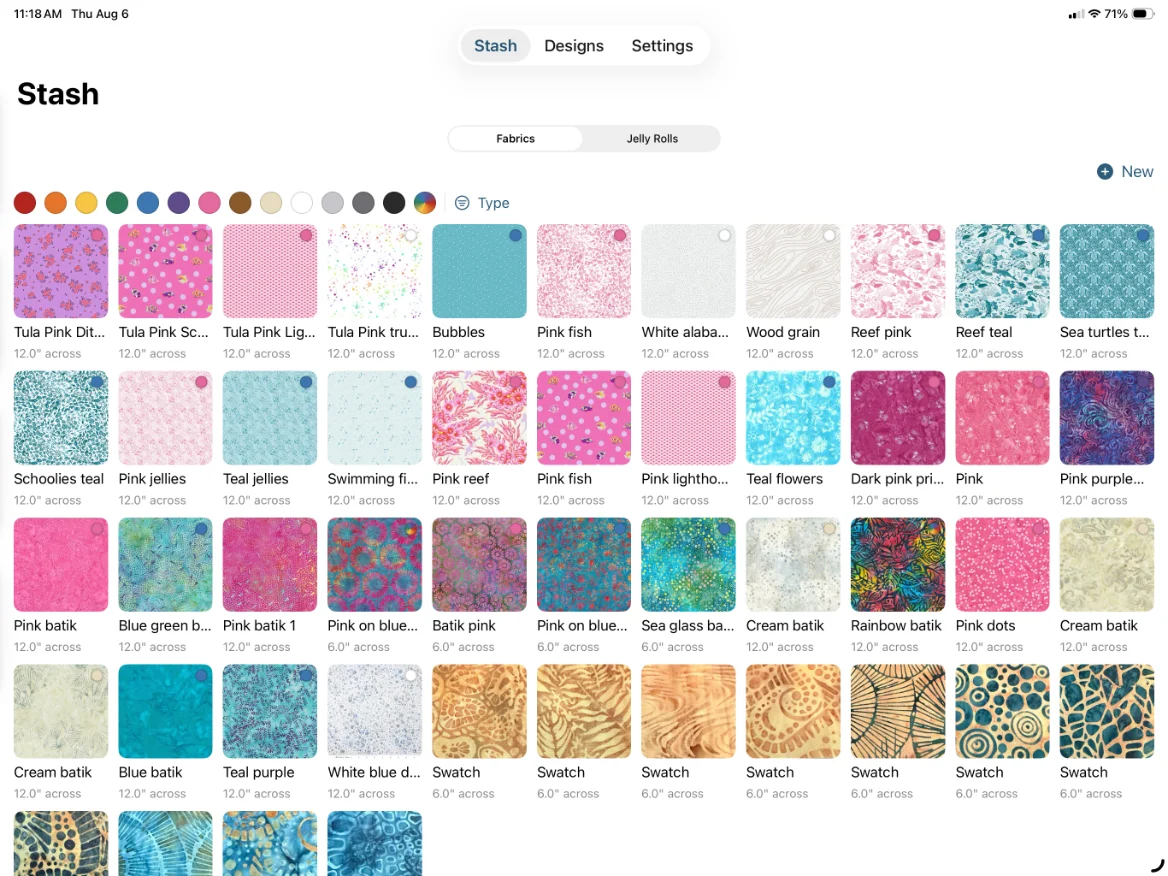
Take a photo of a fabric with the phone already in your pocket. Tell TideStitch how wide the print really is, give it a name, and it joins your stash.
Tag swatches by color, material, and print style, so when you need the teal batik and not the teal solid, you can actually find it. Filter your whole stash down to the fabrics that suit the quilt in front of you.
Jelly rolls get their own shelf. Declare a roll, photograph its strips, and get strip-friendly patterns that tell you exactly how many of your strips each one uses.
Load the brush, then paint
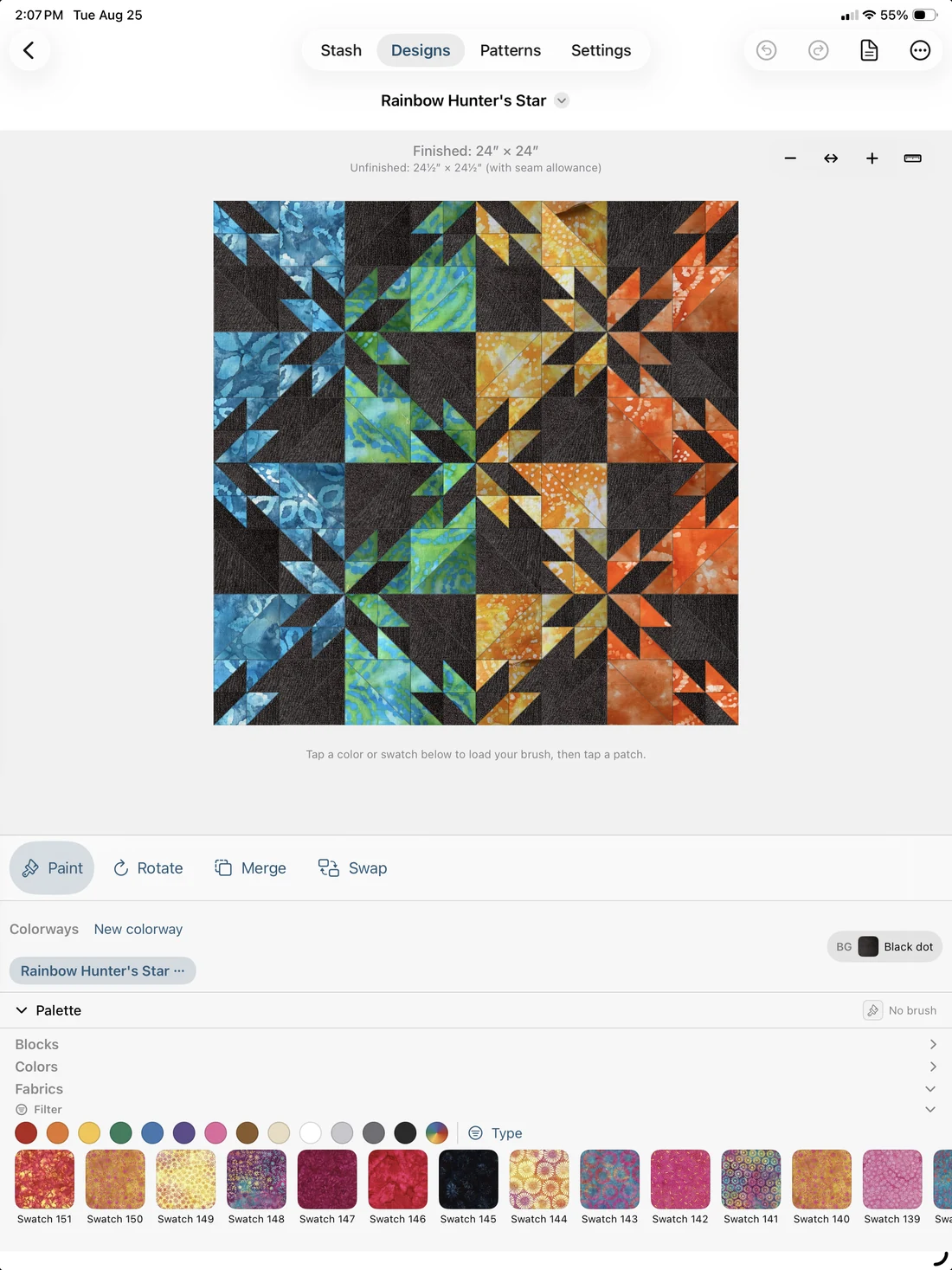
Tap a fabric or a color to load the brush, then tap or drag across a whole run of patches to fill them in one sweep, with a finger or an Apple Pencil. Swap fabrics whenever you like. The eraser clears. Undo goes back as far as you need it to.
Because every swatch is tiled at its real physical size, a 6″ print in a 12″ block repeats exactly the way it will in cloth. Not shrunk to fit the patch, and not averaged down to a single color.
Then build outward. Tile one block into a full grid, mix block types cell by cell, or paint each block differently for a gradient across the top. Finish it with sashing, nested borders, and corner blocks. The finished measurements update as you go.
Make Pattern, then go cut
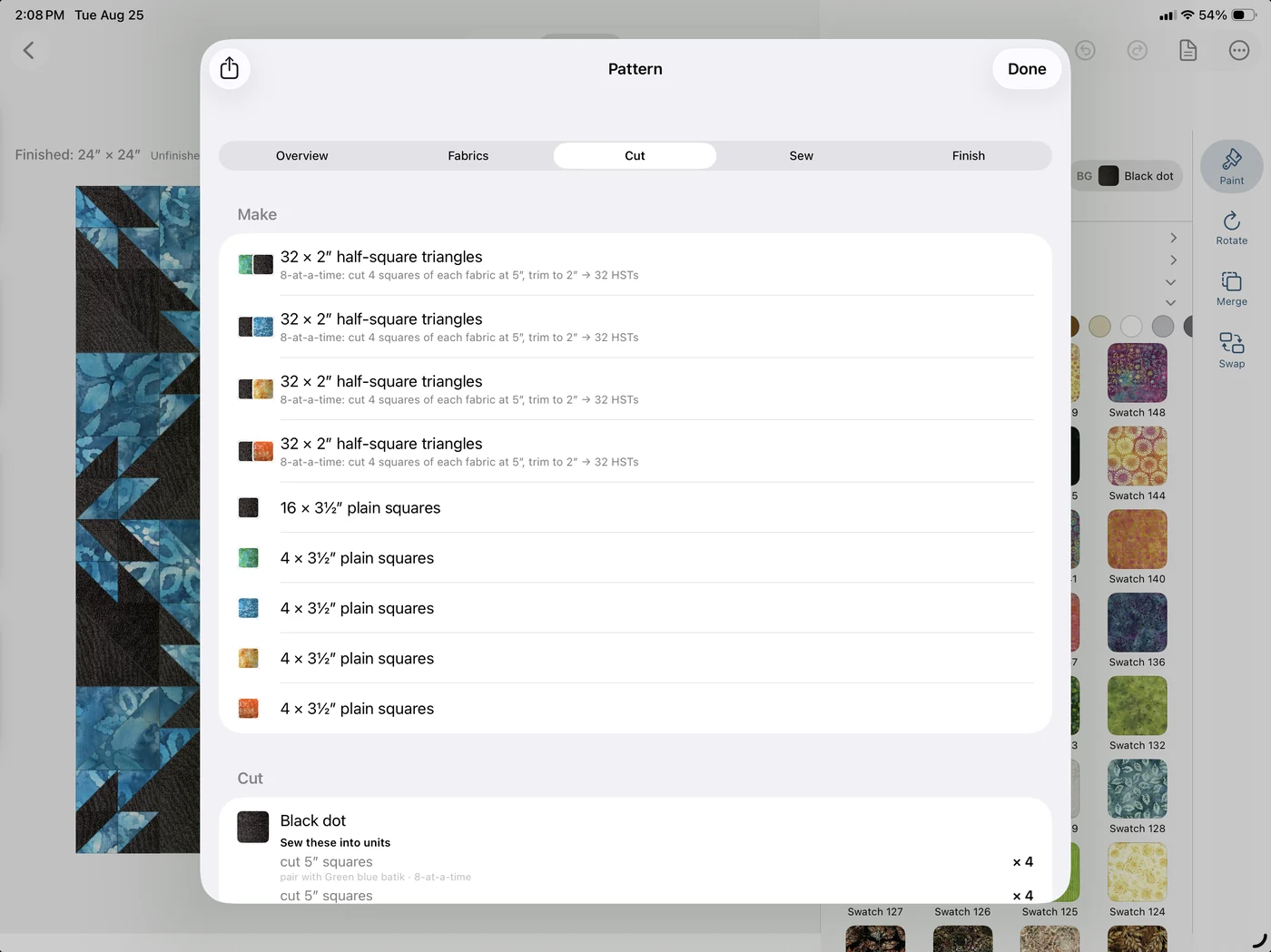
One tap turns the design into the thing you actually need at the cutting table:
- How many of every piece, and what size to cut them, as trim-to sizes rather than finished
- How much of each fabric to buy, worked out per fabric
- Numbered assembly steps, in the order you sew them
- Matching half-square triangles batched 2, 4, or 8 at a time, so you are not making them one at a time
- All of it as a PDF, to print or to keep open on the iPad next to the machine
Plenty of apps will show you a picture of a quilt. This is the part that gets you to a finished one.
The numbers are built to survive the rotary cutter
Every size in TideStitch is the finished size, the space a piece takes up in the completed quilt. Set your seam allowance once, whether that is ¼″, a scant ¼″, metric, or something of your own, and TideStitch shows you the squared-up and cut sizes on top of it. Measurements land on eighths, so they land on a real ruler.
Blocks whose math is guaranteed
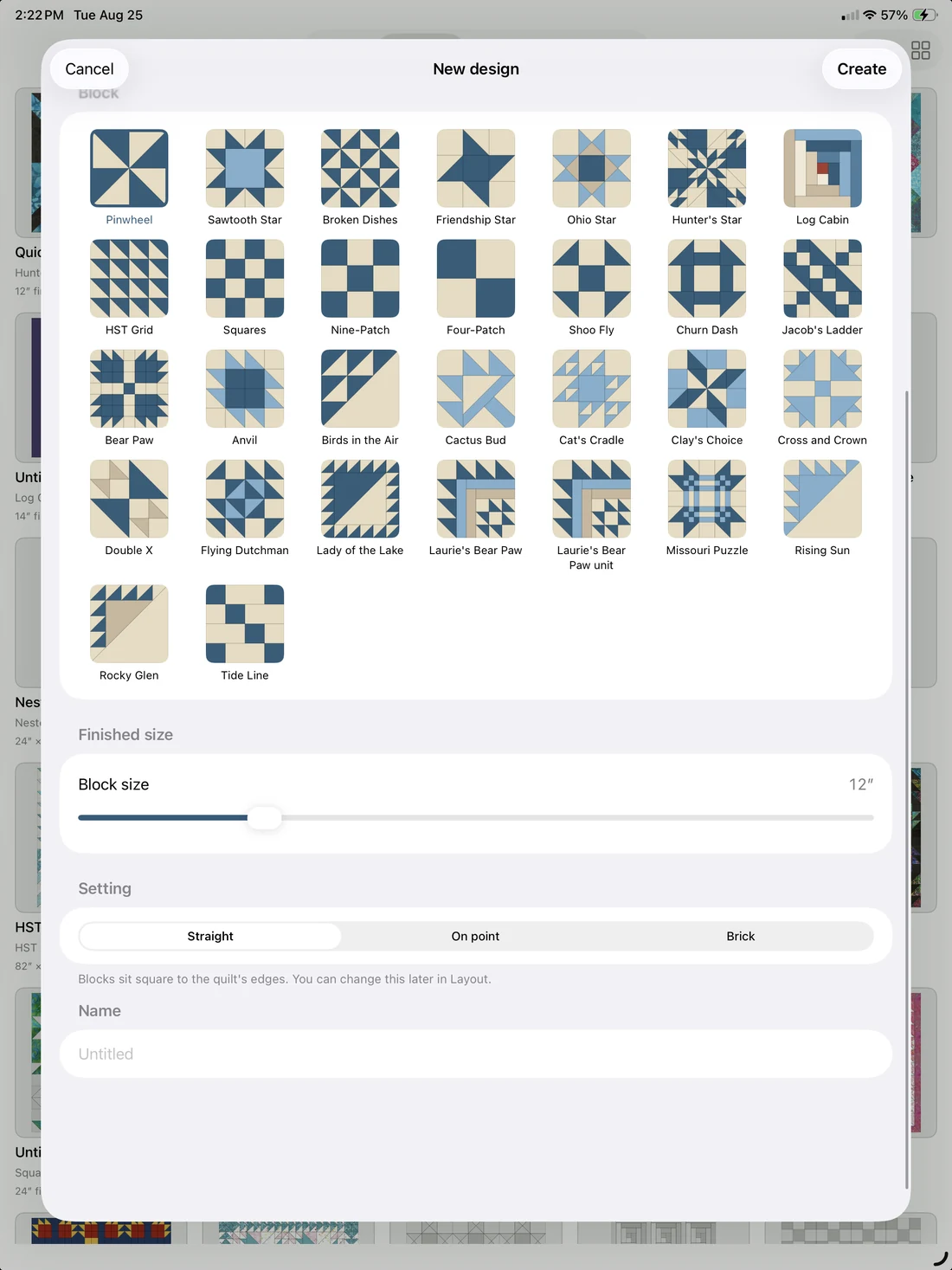
Lots of blocks, including Pinwheel, Sawtooth Star, Ohio Star, Friendship Star, Broken Dishes, Hunter’s Star, Log Cabin, Nine-Patch, Four-Patch, Shoo Fly, Churn Dash, Jacob’s Ladder, and Bear Paw, plus pieced blocks like Anvil, Birds in the Air, and Flying Dutchman.
Every one is generated geometrically and verified to tile its square exactly, so the seams meet where they are supposed to and the cut sizes come out right.
Two of them are canvases you size yourself: an HST grid where you choose how many half-square triangles run across and down, and a plain-squares one-patch. Every patch is independently colorable.
Or design your own quilt top
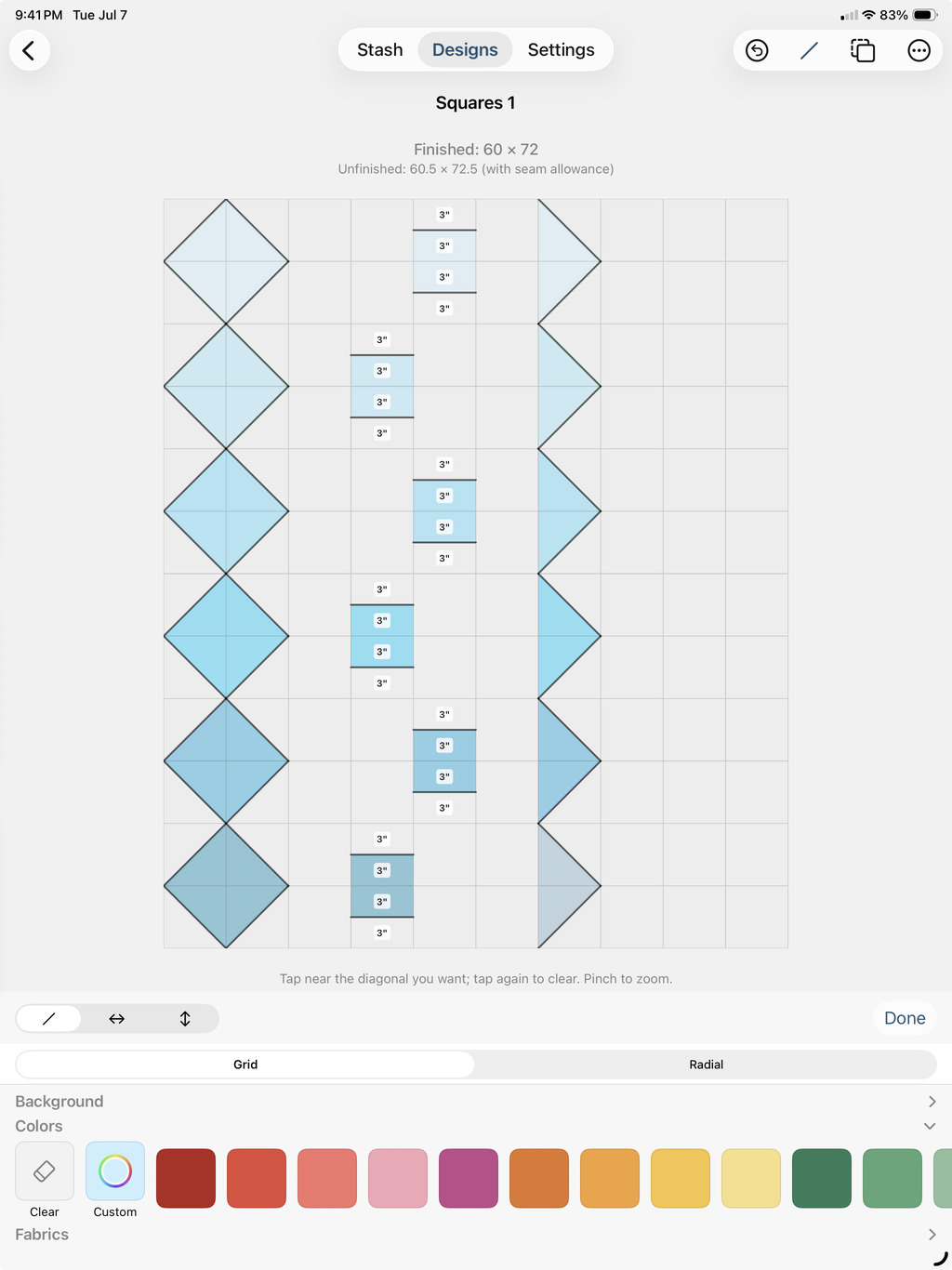
Every block above starts you from a known shape. Design Your Own starts you from a blank top: set the grid and the cell size, and TideStitch tells you the finished measurements before you draw a line.
Cut cells into triangles and true-measurement bands, or go Radial and fan rays out from a compass anchor. Merge patches into bigger shapes, paint them in your fabric like any other design, and undo anything. Make Pattern works here too, so a top you invented still leaves with a cut list.
Design Your Own works at the level of the whole top. Drawing a single block from scratch is a different tool, and that one is on its way.
Coming soon: Studio, which lets you draw your own block
A full block designer for iPad and Mac. Start from an empty square and cut it up however you like: split cells on the diagonal, slide a cut sideways, merge patches into bigger shapes, or fan rays out from a compass point. Piece it rotary-cut, or foundation paper piece it.
Email me when it’s readyThe part that matters: it will not let you draw a block you cannot make. Rulers run along all four edges in quilter fractions, every piece wears its finished size on the canvas, and cuts snap to eighths. When you are piecing it rotary-cut, anything that will not come off a ruler turns red before you commit to it.
Flip a block to foundation paper piecing and the rules open up: now you can draw the sharp points, skinny slivers, and steep angles a rotary cutter could never give you. TideStitch numbers the sections and hands you the printable foundation to sew, instead of a cut list.
Combine finished blocks with sashing into one larger block, and TideStitch works out the cut list (or the foundation) and the sewing order for the whole thing.
The block designer will be a separate one-time unlock for iPad and Mac. Everything described above this stays exactly as it is for you.
It stays yours
Your fabric photos and your designs never touch a server we own. They live on your device and in your own iCloud, and nowhere else. No account to create, nothing to log into, no ads, and no tracking: you open the app and start. We could not sell your data if we wanted to, because we never see it in the first place.
And because it is yours, you can pick it all up and walk: export your whole library, every design, swatch, and jelly roll, to a single file for safekeeping, then import it back on any device. It merges in without overwriting what is already there. Your quilts, your call.
Free until mid-September, then $29.99 once
TideStitch is free until mid-September: no cap, no credit card, no trial clock running in the background where you can’t see it. After that it’s $29.99, one time, no subscription, not ever. And the honest version, because I’d rather you hear it from me: download it before the switch and everything the app does today stays free for you, for life. Install now and the TideStitch in front of you stays unlimited for you, permanently.
And even after that, TideStitch stays free to try, for as long as you like: no timed trial ticking down and no card up front. Hold a handful of designs and preview any pattern free, and the $29.99 (one time, yours on iPhone, iPad, and Mac together, no subscription) only comes in when you’re ready to go unlimited. The one thing I won’t dress up: a couple of bigger tools, like the from-scratch block designer, are a separate one-time unlock on top, so “free for good” means the everyday app you have today, not a blank check on everything I ever build. Fair’s fair.
Where’s the Android version?
It exists, it’s real, and it’s in beta on Google Play right now with a small group of quilters putting it through its paces. It’s the same geometry engine and the everyday app, not every corner of the iPad version yet (and beta means you’ll find things I haven’t), which is exactly why I want more of y’all in it.
Real Android phone or tablet required. The button opens an email: send me the Google account you use on that device (that’s what gets you on the tester list) and I’ll send the install link right back.
TideStitch is written entirely in Swift, Apple’s native language. The geometry engine that does all the block math (every seam, every angle, every cut dimension) is a library built from scratch, and the design surface sits on Apple’s native drawing and sync frameworks on top of it. None of that translates to Android: a version there wouldn’t be a port, it would mean rebuilding the whole app in a different language, and then maintaining two separate apps forever after.
The cross-platform toolkits that promise “write once, ship everywhere” are fine for a form or a checklist, but not for a design surface where you’re dragging seams around and expecting it to respond instantly (and y’all deserve better than a laggy quilt designer).
TideStitch is built by one person, and I’d rather make one app that’s excellent than two that are okay. That was the whole answer for a long time: not never, just not right now. Then enough of y’all asked (in the reviews, on Reddit, in an actual quilting class) that I stopped saying “not right now” and started building.
See it before you cut it
TideStitch is on the App Store for iPhone, iPad, and Mac.